Search
You are now all set up, and the next orders will create a shipment to the Montonio system and generate a shipping label there. Shipping labels can still be downloaded from the Parcely app orders view.
Q: Can I still download shipping labels from Parcely?
A: Yes, you can download shipping labels either from Parcely order view or from the Montonio environment, whichever you prefer.
Q: Which shipping methods does Montonio Shipping offer?
A: You can find all available shipping methods and providers from here.
Q: Where can I find Montonio LIVE API keys?
A: This guide will help you find API keys from the Montonio environment.
Q: How do I know which shipping methods are managed through Montonio?
A: Shipping methods are synced after inserting Montonio LIVE API keys to Parcely. By clicking on the "Active synced Montonio shipping services" text, you will see a table of all synced shipping methods per country and shipping service provider.
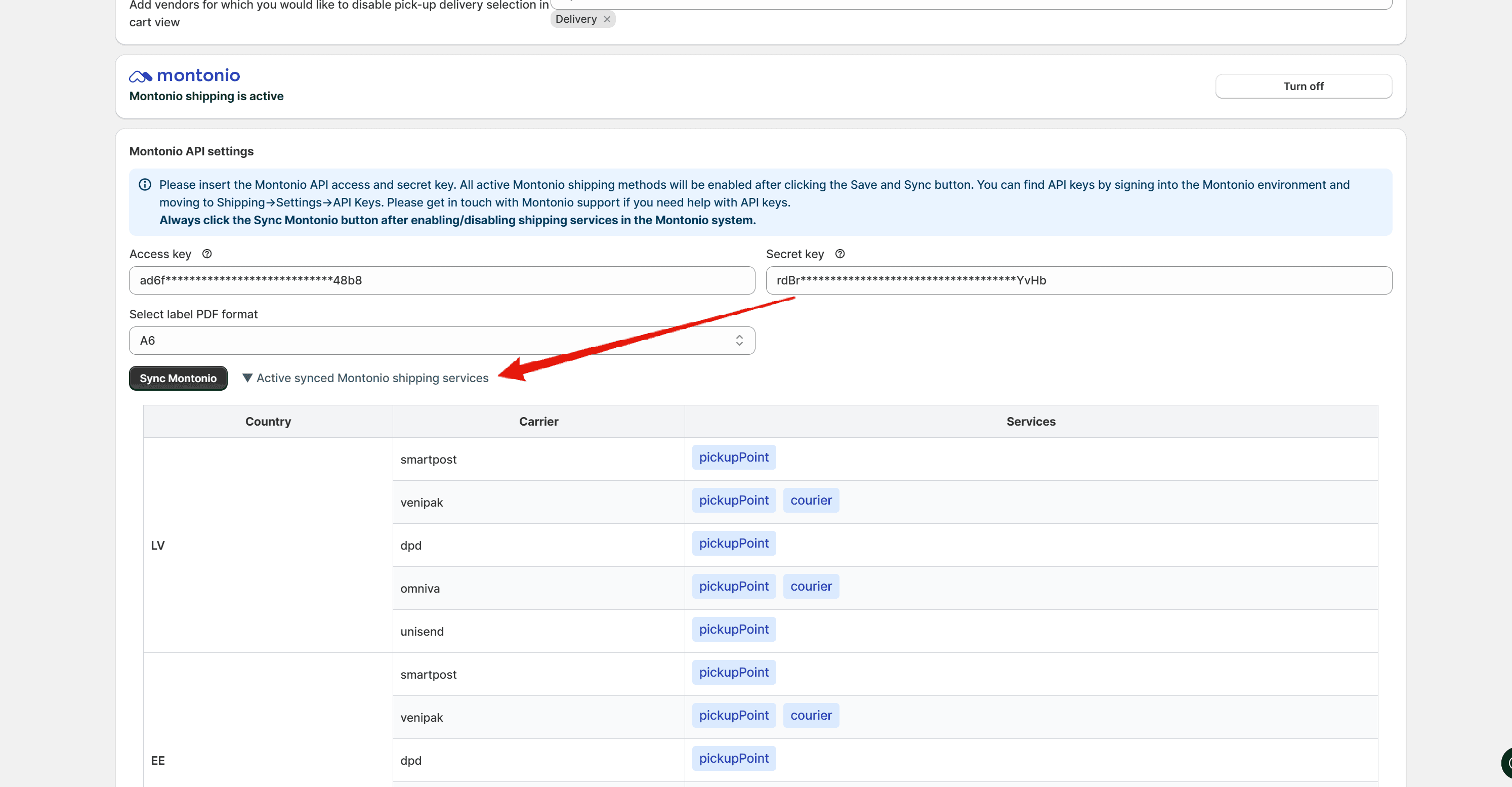
A: Please click on the "Sync Montono" button in the Parcely app General Settings tab. It will re-sync all shipping methods and providers. Check the "Active synced Montonio shipping services" table after sync has finished.
Q: What happens with shipping providers or countries that Montonio Shipping does not cover?
A: You can still use all shipping providers and shipping methods that Parcely offers. If you are using DPD parcel lockers across the EU, then countries that Montonio does not support will be processed through DPD API keys inserted into the Parcely app. Example: If you activate Montonio Shipping DPD, then Estonia, Latvia, Lithuania, Finland, and Sweden orders will be processed through Montonio, and for example, a Hungary DPD parcel locker order will be processed through your own API key inserted into the Parcely app.
Powered By SparrowDesk