
Search
By default, Parcely widget in the cart page is situated above the checkout button and if it ok for you then you don’t have to make any changes.
But if you wish to customize the widget position, you need to go to ”Online store”. Next, go to the currently published Theme => Actions => Edit code. Further, you need to update the cart template by adding the following HTML tag
<div id="parcelyWidget"></div>
to the location in your code where you would like to display the Parcely widget in your online store.
Example:
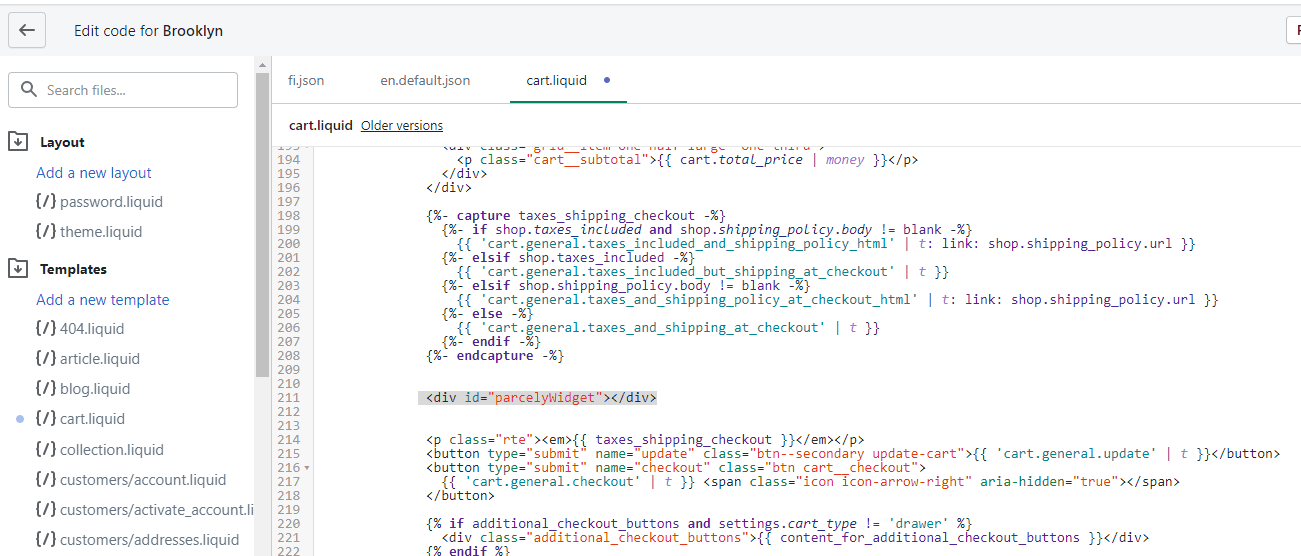
PS: You cannot place Parcely delivery selection widget to the checkout view.
Powered By SparrowDesk