
Search
You are able to connect Parcely with Omniva via API and automate the following processes:
You can export both Omniva pick-up point and home-delivery orders from the Parcely app to the Venipak system.
Parcely offers the following Omniva shipping methods:
Please reach out to Omniva support to learn about the countries they ship to and shipping rates.
In order to connect your Shopify store with their system, you would need to sign a contract with Omniva and ask for API/XML partner ID and password.
Important! Only merchants whose warehouse is located in Estonia, Latvia or Lithuania can export orders to the Omniva self-service portal.
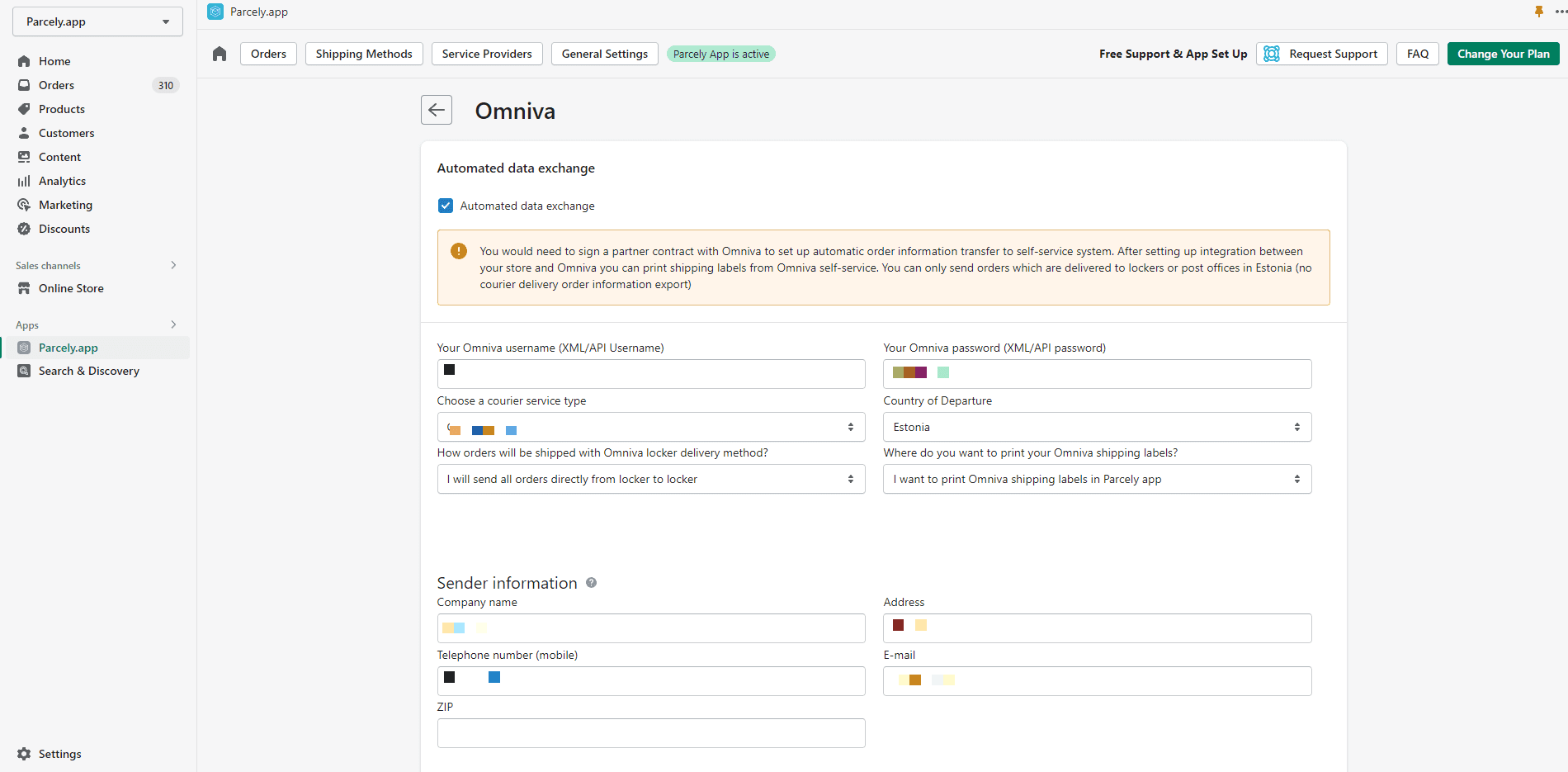
Go to your store admin and open the Parcely app under “Apps”. Move to Omniva tab. Here you can enable and disable order export.
Make sure you ask for XML/API credentials from Omniva and insert them into Partner ID (Username) and Password fields. XML/API Partner ID and Password are not the same as those you are using to log in to the Omniva Self-service portal.
Remember to choose the way how you are planning to ship your orders with Omniva (Omniva service).
After order exporting has been set up you can print all Omniva pick-up point shipping labels from the Parcely app Orders view.
If for some reason the order is not automatically exported, then click on the "Export Order" button and the order data will be sent to Omniva.
The tracking code is saved to your store order only if you are fulfilling orders through the Parcely app Orders view. Parcely will save the tracking code and the Omniva tracking URL to the order, and will also include them in your store order confirmation email. If you choose to fulfill orders in Shopify order management, you will need to manually copy and paste the tracking code and URL.
Powered By SparrowDesk